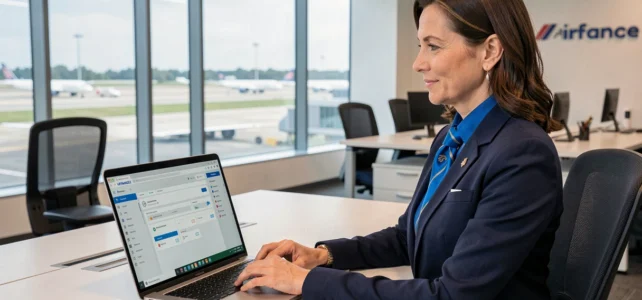
When a flight crew member from Air France looks for their flight schedule from home, they do not go through a simple email. They log into an internal portal called IPN, accessible via the Intralignes platform. Understanding the difference between these two tools and knowing how to connect without issues can prevent a lot of daily frustrations.
IPN, Intralignes, and GPNet: three distinct tools at Air France
Many employees confuse these three names. However, they refer to well-defined areas, each intended for a specific profile.
Intralignes is the central portal for all employees of Air France, whether they are cabin crew (PNC), flight crew (PNT), or ground staff. It includes pay slips, internal news, links to the health insurance, internal mobility, and HR documents.
IPN specifically targets flight crew (PNC and PNT). This subset of Intralignes provides access to flight schedules, last-minute changes, and cycle information. It is the daily tool for those who fly.
GPNet, on the other hand, concerns company tickets. It is open to employees and retirees but requires a specific VPN connection. Its use is unrelated to schedule management.
Finding information about the IPN Air France platform helps quickly clarify these distinctions, especially for a new hire discovering the company’s digital ecosystem.
IPN Air France Login: the role of strong authentication PingID
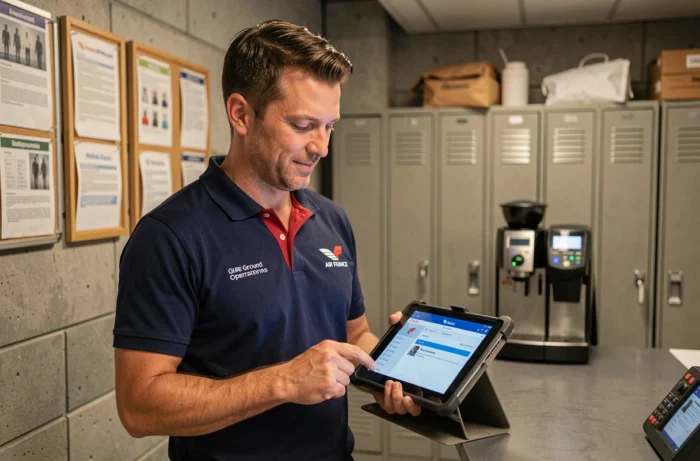
Have you ever received an error message when trying to log into IPN from your personal computer? Since 2024, Air France has implemented a strong authentication system that combines SSO (Single Sign-On) and a second factor via the PingID app.
What this changes in practice
Before this change, a username and password were sufficient. Today, every remote login requires validation on a smartphone via PingID. The phone must be previously enrolled in the system. Some profiles use a physical token instead.
This enhancement of security explains a large part of the connection issues reported by employees. If the PingID app is not installed, or if the smartphone is not enrolled, access is simply denied.
Steps to connect without issues
- Install the PingID app on your smartphone from the App Store or Google Play Store, then follow the enrollment procedure provided by Air France’s IT department
- Go to the Intralignes portal from an up-to-date browser, enter your usual credentials (employee number and password), then validate the PingID notification that appears on your phone
- If you are using a physical token, enter the generated code in the designated field during login, within the allotted time
- If you encounter persistent issues, check that your password has not expired and that your smartphone is connected to the internet at the time of validation
A detail often overlooked: the PingID app must be updated regularly. An outdated version of the app can cause silent validation failures, without a clear error message.
IPN Features for Flight Crew in Daily Operations
Once logged in, the IPN interface provides access to several modules focused on the operational life of the crew. It is not just a bulletin board.
The flight schedule is the most consulted feature. It displays upcoming rotations, layovers, presentation times, and any last-minute changes. For a PNC based in the provinces, checking this schedule before each departure avoids unpleasant surprises related to late changes.
The IPN also provides access to cycle information, which refers to the work and rest periods that structure a crew member’s month. This data is linked to the collective agreements specific to Air France and varies according to the type of contract.
There are also modules related to professional training. Crew members can check their recurring training obligations (safety, security) and verify the status of their qualifications. A delay in training can lead to a temporary flight suspension, making this regular check necessary.

Resolving the Most Common IPN Access Issues
Connection difficulties to IPN are not uncommon, especially after a phone change or password reset. Here are the most common situations and their resolutions.
After changing smartphones, the PingID enrollment must be completely redone. The old device remains registered in the system until the transfer procedure is completed. Contacting Air France’s IT support allows for the disconnection of the old phone and activation of the new one.
An expired password blocks access without explicit warning. The portal sometimes returns a generic connection error message. Going through the password reset page, accessible from Intralignes, resolves the issue in most cases.
For employees trying to connect from abroad, some hotel or country Wi-Fi networks restrict access to authentication services. Using mobile data on the phone to validate PingID, rather than local Wi-Fi, often circumvents this limitation.
The technical support of Air France remains the last resort. They can be reached via the contact information displayed on the Intralignes login page. Preparing your employee number and a precise description of the error message speeds up the processing of the request.
The IPN platform remains a central tool for flight crew, provided they master the strong authentication process implemented since 2024. An enrolled smartphone, an up-to-date PingID app, and a valid password are sufficient to ensure smooth access, even while traveling.